
Church translation software
One platform, from the booth to every phone.
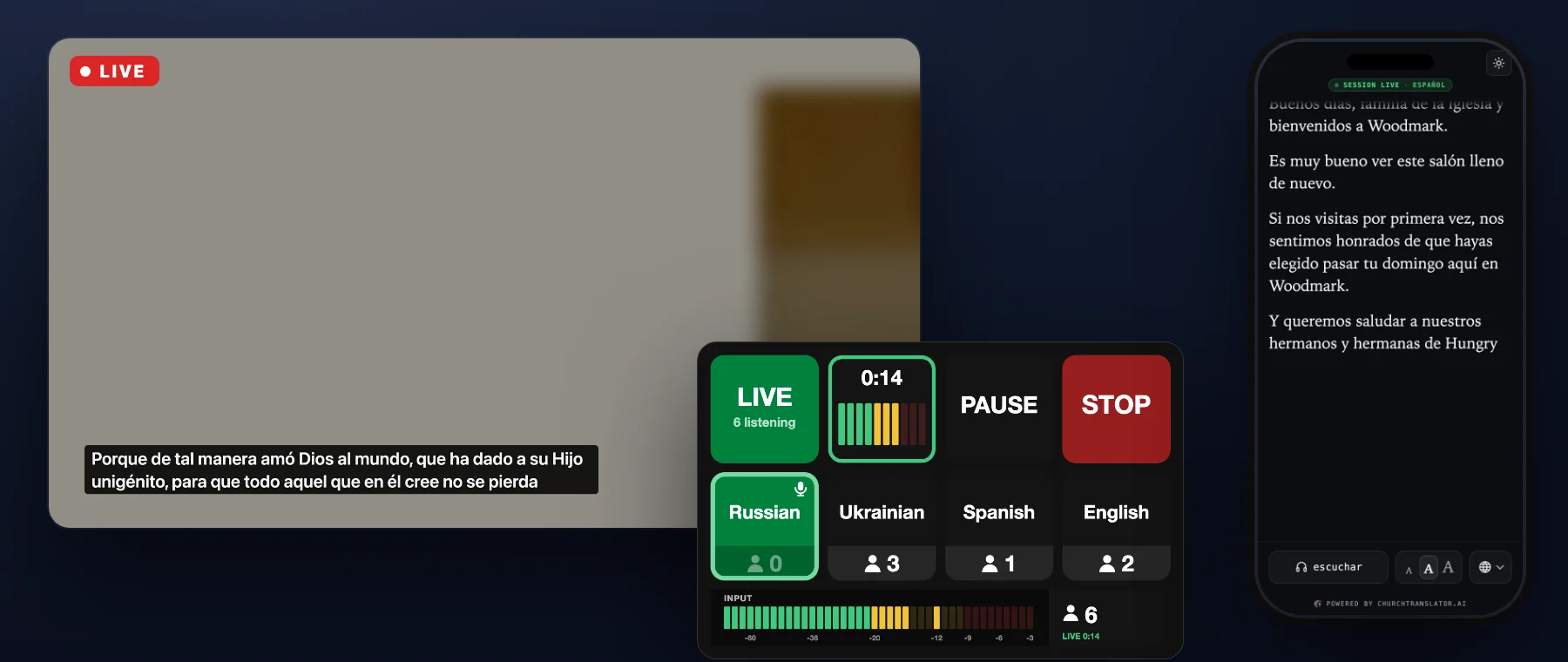
ChurchTranslator is four things working together: AI translation engines, a listener experience that needs nothing installed, capture and booth integrations for the equipment you already own, and a dashboard your team runs it all from.
Translation engines
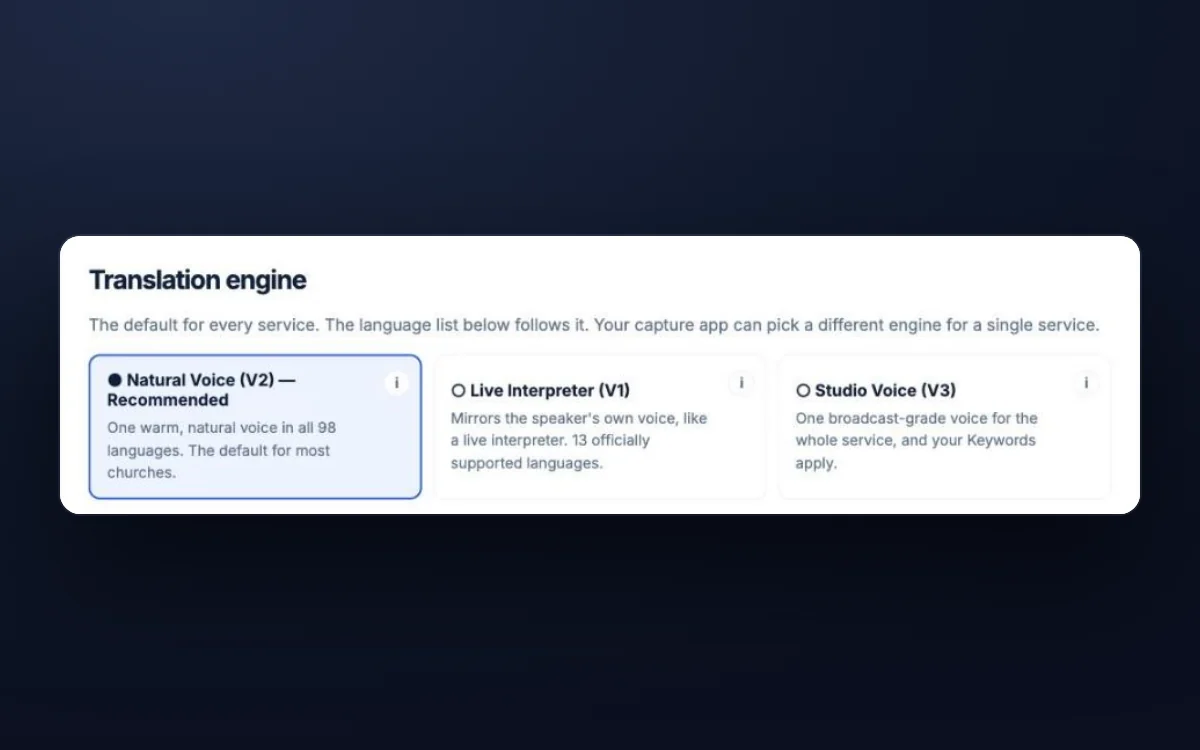
Natural Voice (V2), the default: all 98 languages, any source to any target. Live Interpreter (V1), one click away on every plan, mirrors your speaker's own voice. Delay varies by engine, language, speech pace, and connection. Translation runs only for languages someone is actually listening to.
The listener experience
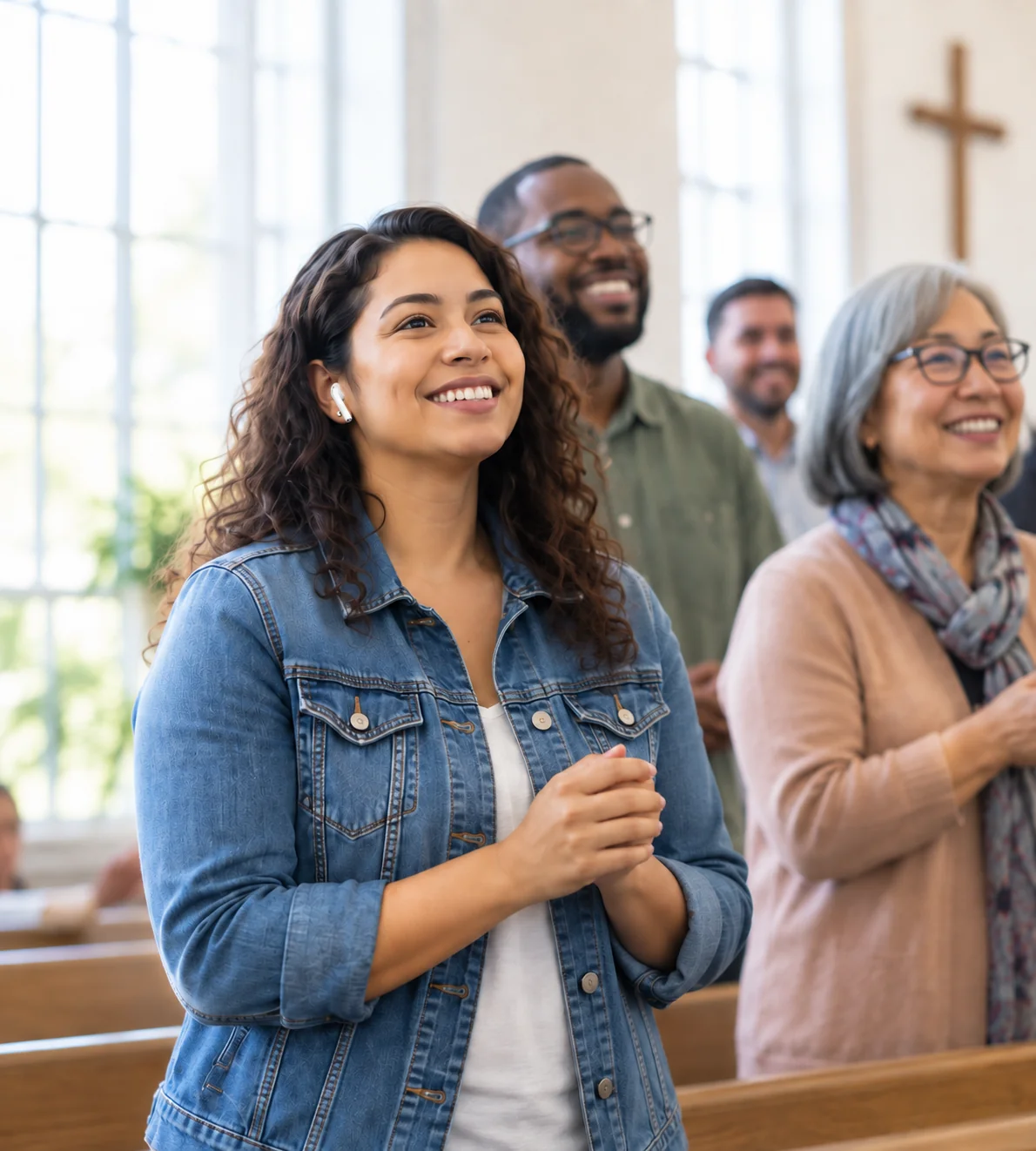
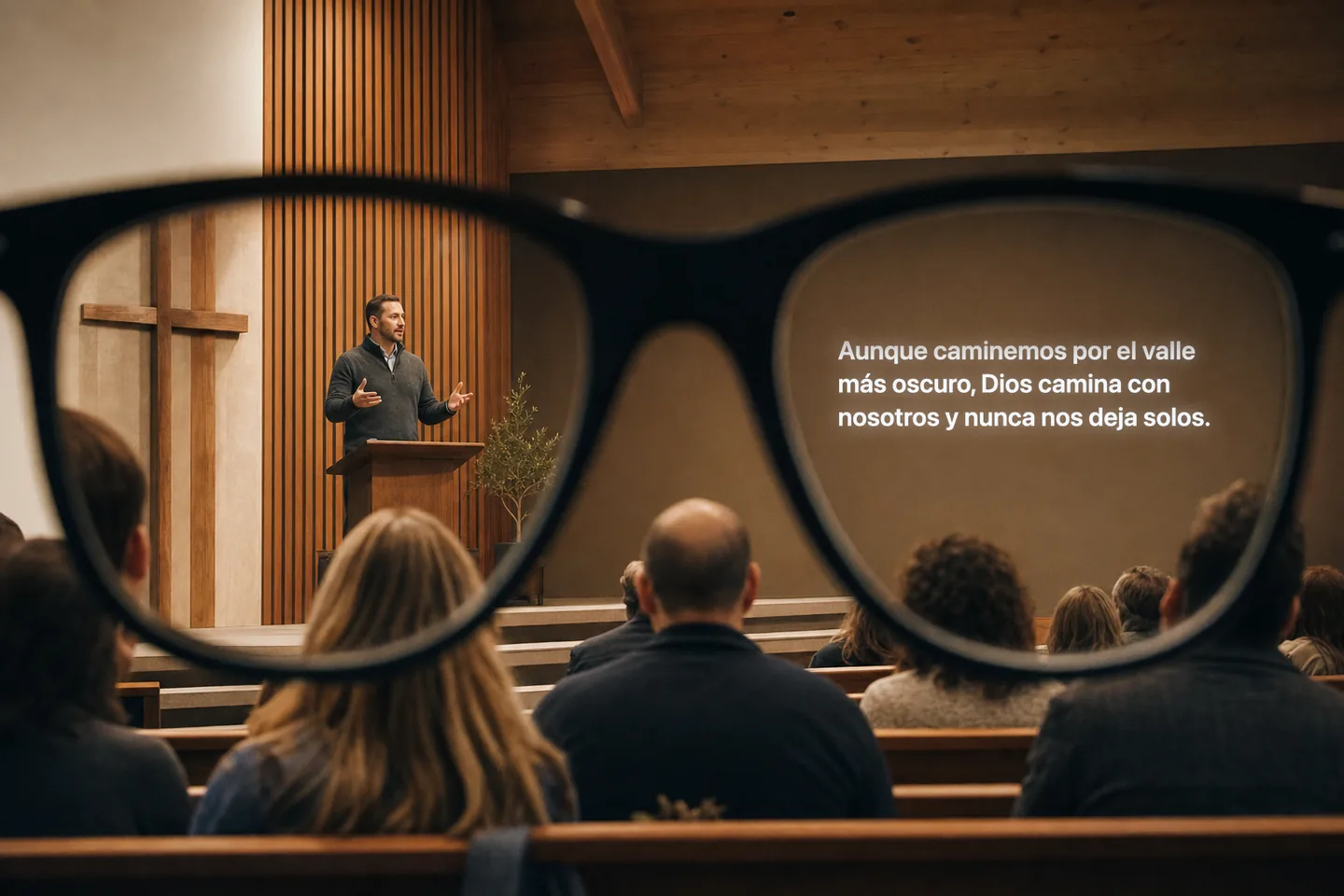
Members scan a printed QR code and pick their language — no app, no account, unlimited listeners. Each phone gets live translated audio and captions; deaf and hard-of-hearing members get captions in the speaker's own language, free on every plan. Regulars can use the free iPhone app, and Meta glasses wearers can hear it, or read it in the lens.
Capture & integrations
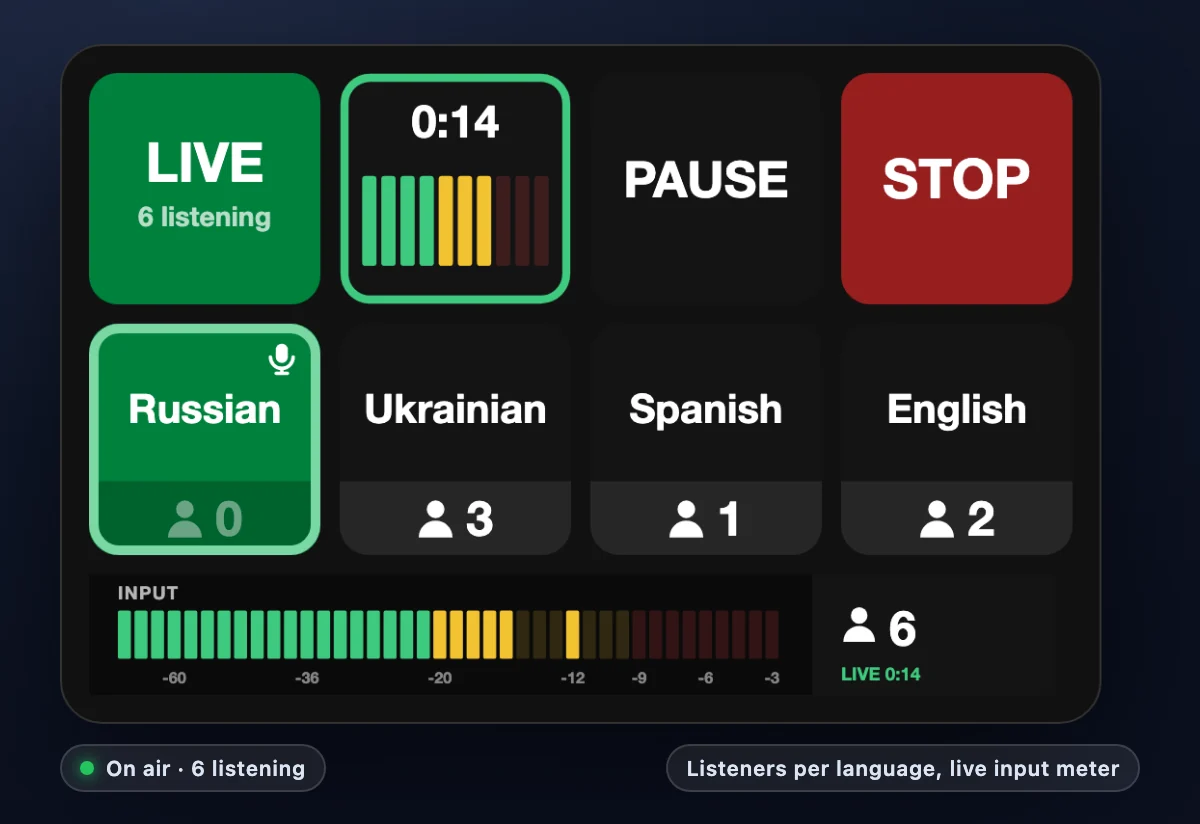
Bring audio in from our Mac app, Windows app (beta), any browser, a phone used as a mic, or RTMP from OBS, vMix, and hardware encoders — Zoom services included. Control the booth from an Elgato Stream Deck or Bitfocus Companion, and push captions to ProPresenter, OBS, or a lobby display.
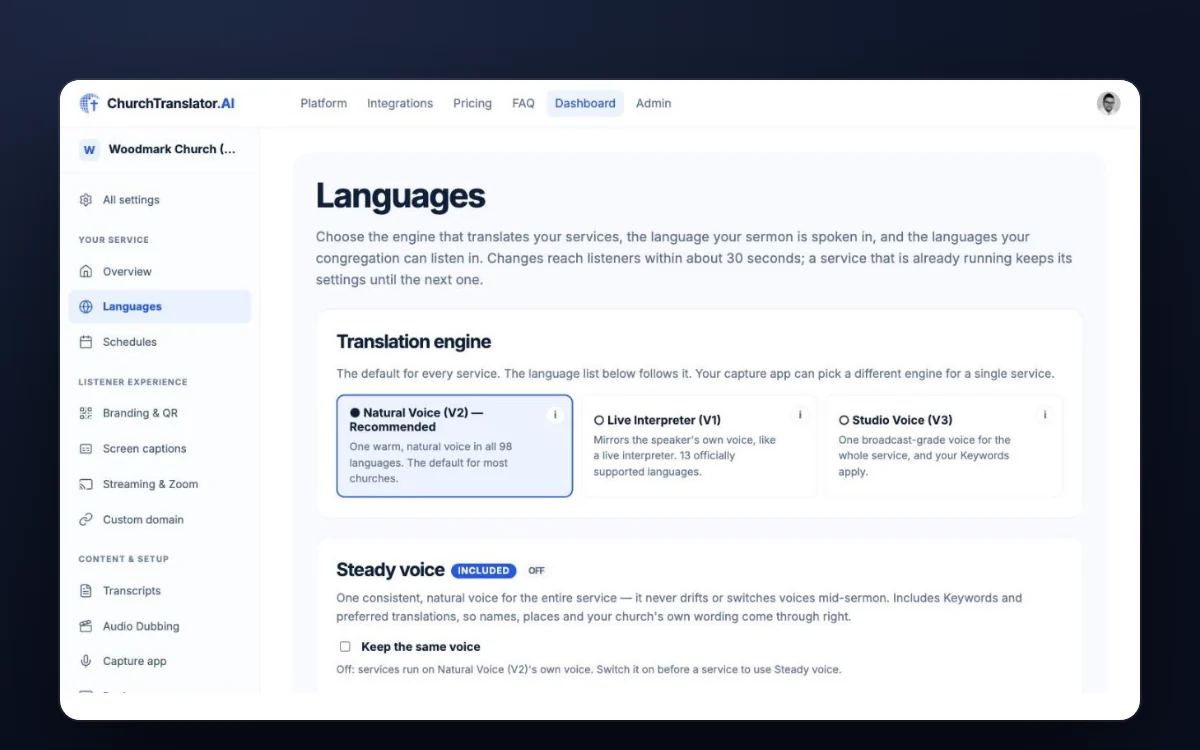
The church dashboard
Schedules that start the service automatically, live control from any phone, your branding and your own web address, team access, usage alerts, and — when you turn it on — a written transcript with an AI sermon summary after each service.
Before the service
Set up in an afternoon, not a season
Print, connect, done
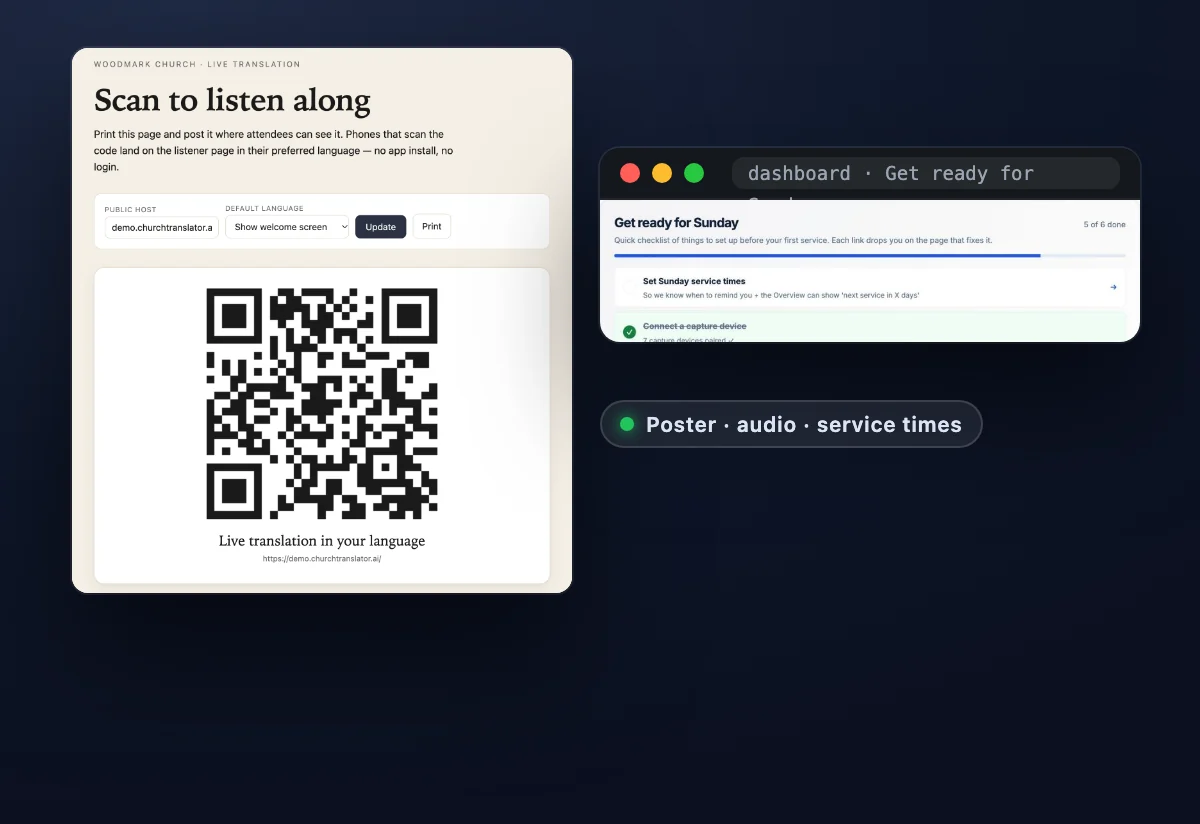
Sign up, print the QR poster the dashboard generates, and connect the booth computer's audio — Mac app, Windows app, browser, or a cable from your mixer. Most churches run their first live translation the same week, and your first 4 hours are free.
Schedules that run the booth for you
Enter your service times once. The capture app starts and stops on schedule, and if a running service goes silent, your team gets an email — so a distracted Sunday morning doesn't become a silent one. A schedule can even switch the speaker language for you, for churches whose 9:00 and 11:00 services are preached in different languages. A day-before reminder and a missed-start email are available on request.
Your name on it
Listeners see your church's name, logo, and welcome message — and you can serve it from your own web address, like translate.yourchurch.org, with a guided 3-step setup.
During the service
Every language at once, and a booth that stays in control
Live translation in every language at once
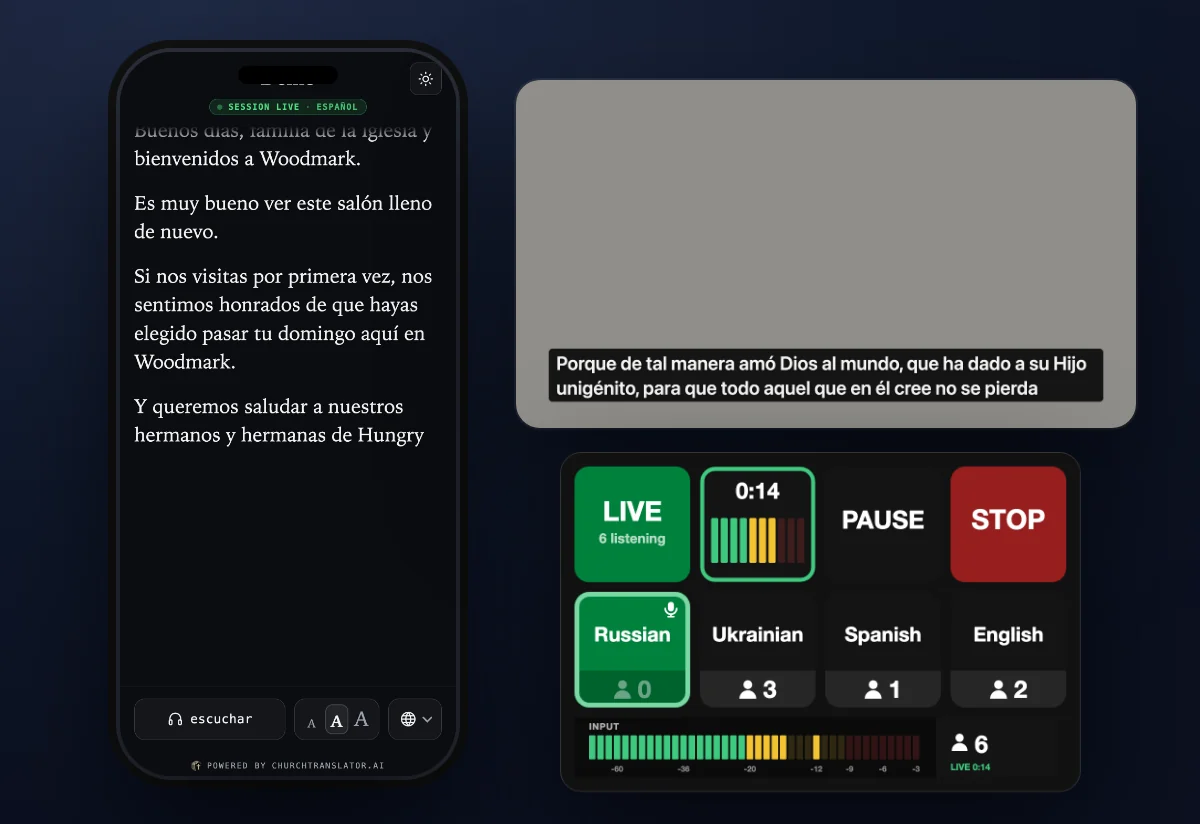
The speaker preaches naturally, in any of 98 supported languages. Listeners hear translated speech on their phones, with a delay that varies by engine, language, speech pace, and connection. Live Interpreter mirrors the speaker's own voice.
Captions everywhere you need them
On every listener's phone, on a lobby or overflow-room display, as a lower-third over your livestream, or dropped straight into ProPresenter or OBS as a browser source. Captions in the speaker's own language are always included for deaf and hard-of-hearing members.
Every campus, one account
On Growth and up, each campus gets its own link, QR code, capture computers, speaker language and schedule, and campuses run at the same time, all on one bill and one pool of hours.
A booth that stays in control
Start, pause for prayer, and stop from the capture app, the dashboard on any phone, or a physical Stream Deck button. One screen for the audio booth, one for the admin team.
Safeguards, because Sundays are busy
Forget to press Stop? A prompt, a hard session cap, and unusual-usage alerts protect your bill. Dead-air detection emails your team if the stream goes silent mid-service. Going past your plan's hours never interrupts a live service.
After the service
The sermon, kept — in every language it was heard
Service Replay for 24 hours
On Growth and up, turn on Service Replay and anyone with your listener link can play the service again for 24 hours, in every language that was heard live, with the room's sound under the translation. Worship songs are left out, latecomers can start from the beginning, and each recording is deleted after a day.
A written transcript of every service
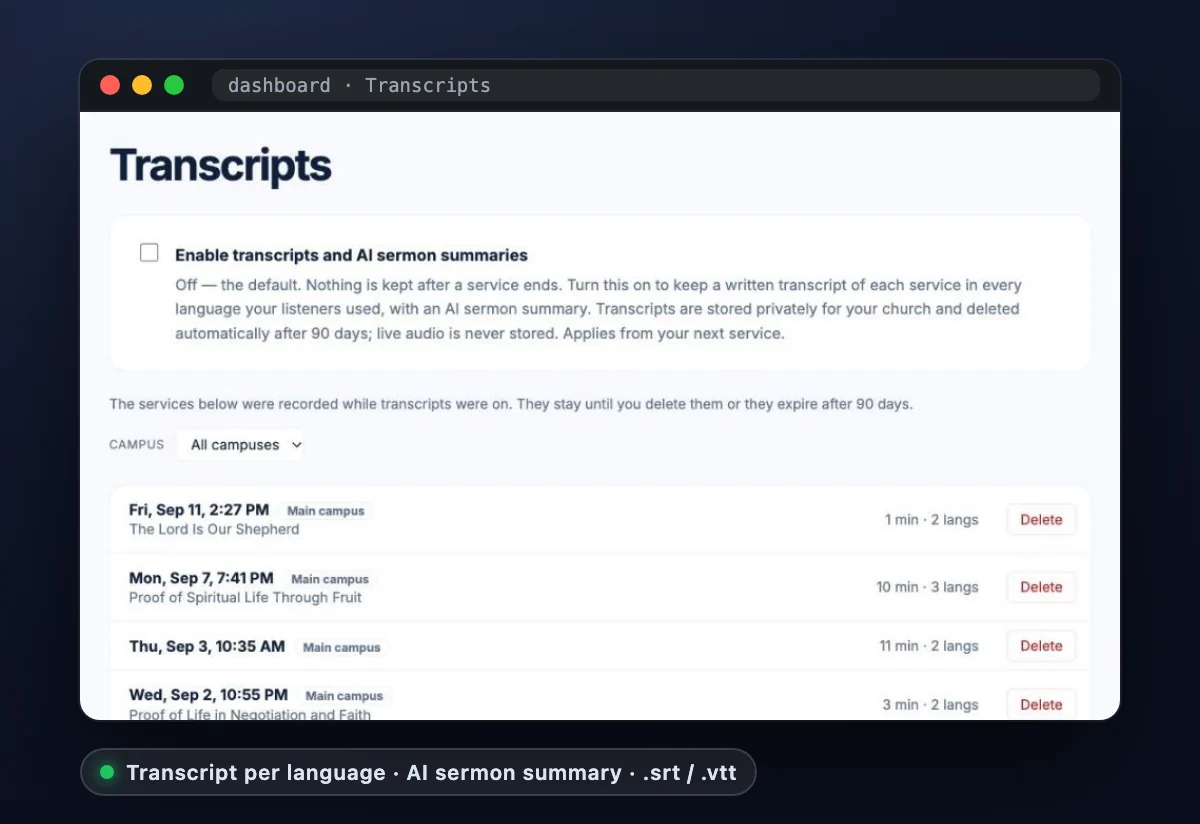
Turn on transcripts and every service is kept as a transcript in each language your listeners used — read it in the dashboard, or download it as text or as .srt/.vtt subtitle files for your service recording. Off until you enable it; stored privately for your church, text only, and deleted automatically after 90 days.
An AI sermon summary, ready for the newsletter
A few minutes after the service ends: a title, the key points, the scripture references, and a short paragraph — written in the language the sermon was preached in, ready to paste into your midweek email.
Audio Dubbing for your replays (Studio Voice beta)
Turn the service recording into a translated audio track per language — timed to your video, spoken in your church's Studio Voice, ready for YouTube's multi-language audio. $0.10 per minute of generated audio; runs on our Studio Voice engine, currently an invite beta. How it works →
Wherever they are
On their phone, in their glasses, in their pocket
Captions in Meta glasses
Every pair of Meta glasses plays the translation like headphones. With Meta Ray-Ban Display, listeners add live captions to the lens from your listener page, with their own language, text size and position. Nothing for your church to set up. Meta glasses →
A free iPhone app for regulars
No one needs an app to listen, but people who come every week can get ChurchTranslator.AI for iPhone and iPad: a QR scanner, their churches remembered, captions full screen, and Meta glasses detected for them. iPhone app →
Your team's own iPhone app, coming soon
ChurchTranslator Capture puts the microphone, the booth remote and the dashboard on your team's phones: who's listening in which language, start and stop from anywhere in the room, and languages, schedules and campuses on the go.
Zoom and Google Meet
Prayer meetings, small groups and board meetings held online can be translated too, in the same languages. Zoom · Google Meet
Under the hood
Nothing to buy, nothing kept
No special hardware
No booths, no radio receivers to hand out and sanitize, no headsets to buy. Listeners use the phones already in their pockets; the booth uses the computer it already has.
Honest about data
Audio isn't stored unless your church turns on Service Replay; then each service is deleted 24 hours after it ends. Transcripts are off until you turn them on, and private to your church. The full story is on the trust page.